
Your Google Business Profile got suspended. Here is how to get it back.
GMB Helper.ai is software that runs the reinstatement of a suspended Google Business Profile from start to finish. When Google suspends a listing it disappears from Search and Maps, the phone goes quiet, and the appeal form gives you one shot. The case collects the right proof, fixes what tripped the suspension, writes the appeal, files it on Google’s own form, and watches for the decision.
7-day free trial · Works for owners and agencies · You approve before anything is filed
Caught the day it happens
A suspended profile raises an alert, and its posting pauses on its own.
Why Google suspends profiles, and why most appeals fail
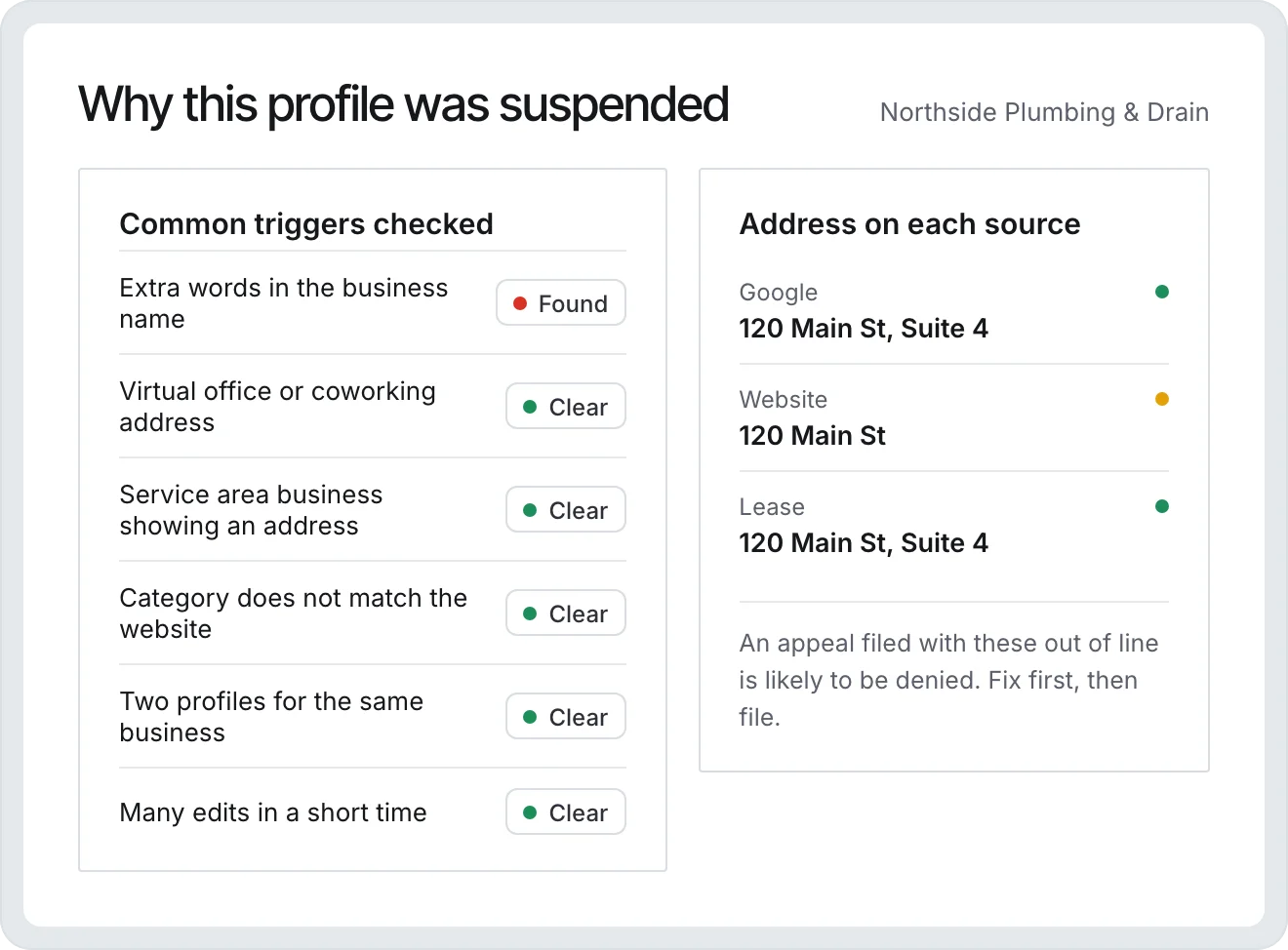
Google suspends a Business Profile when something about it looks like it breaks the Business Profile guidelines. The most common triggers are ordinary: extra keywords in the business name, an address that is a home office, coworking space, or virtual office, a service-area business showing a street address, a category that does not match what the business does, two profiles for the same business, or a burst of edits made in a short time. Google rarely says which one it was.
Read moreShow less
The appeal itself is a single form in the Business Profile appeals tool. You pick the suspended profile, answer a few questions, write a statement, and attach evidence. Google gives you a short window after submitting to add files. If the appeal is denied you can ask for one additional review through a separate contact form, and after a second denial Google’s formal path ends. There is no phone number to call and no progress bar while you wait.
Most appeals fail for one of two reasons. Either the profile still has the problem that caused the suspension when the appeal goes in, or the evidence does not match the profile: the license shows one address, the website another, and Google another. Fixing the profile first and lining up every document against it is most of the work, and it is the part people skip when they are panicking.
From suspension notice to reinstated, one screen at a time
The reinstatement case walks through the same order a careful consultant would use, and it keeps every document, check, and decision in one place so nothing is redone by memory.
- 1
We spot the suspension
Every connected profile is checked for standing. A profile that goes suspended, disabled, or into re-verification raises a high-severity alert in the app and by email, and posting automation for that location pauses so nothing is pushed at a dead listing.
- 2
A short intake
A few questions about the business: storefront, home office, coworking or virtual office, what changed on the profile recently, and whether an appeal was already filed and denied. The answers shape the checks and the appeal.
- 3
Collect the proof
Upload the business license, registration, utility bill, lease, signage and vehicle photos, and insurance yourself, or send the client a link that needs no login. Documents are read automatically so the details in them can be checked.
- 4
Cross-check everything
The business name, address, phone, hours, and categories are compared across the Google profile, the website, and the documents. Each mismatch becomes a must-fix or should-fix item. Name and address fixes can be written to Google from the same screen.
- 5
Write the appeal
An appeal statement is drafted from the facts and the documents, in plain language, and you edit it. The evidence is bundled into a single download in the order Google wants it.
- 6
File it with GBP Autopilot
The GBP Autopilot Chrome extension opens Google’s appeal tool, picks the right profile by its Profile ID, answers Google’s questions, pastes the statement, and attaches the files, then submits after a short countdown you can stop.
- 7
Track the decision
The profile’s standing is re-read every 30 minutes. While Google is silent you get a note on day 3, 7, 14, and 30. When the listing comes back you get the reinstated email. If Google asks for re-verification the case moves straight to a Verify step.
- 8
If Google says no
A denied appeal opens the additional review path: pick the evidence, get a follow-up letter under Google’s 1,000 character limit, and let the autopilot file Google’s contact form. After a second denial the case says so instead of pretending there is another button.
What Google actually wants to see
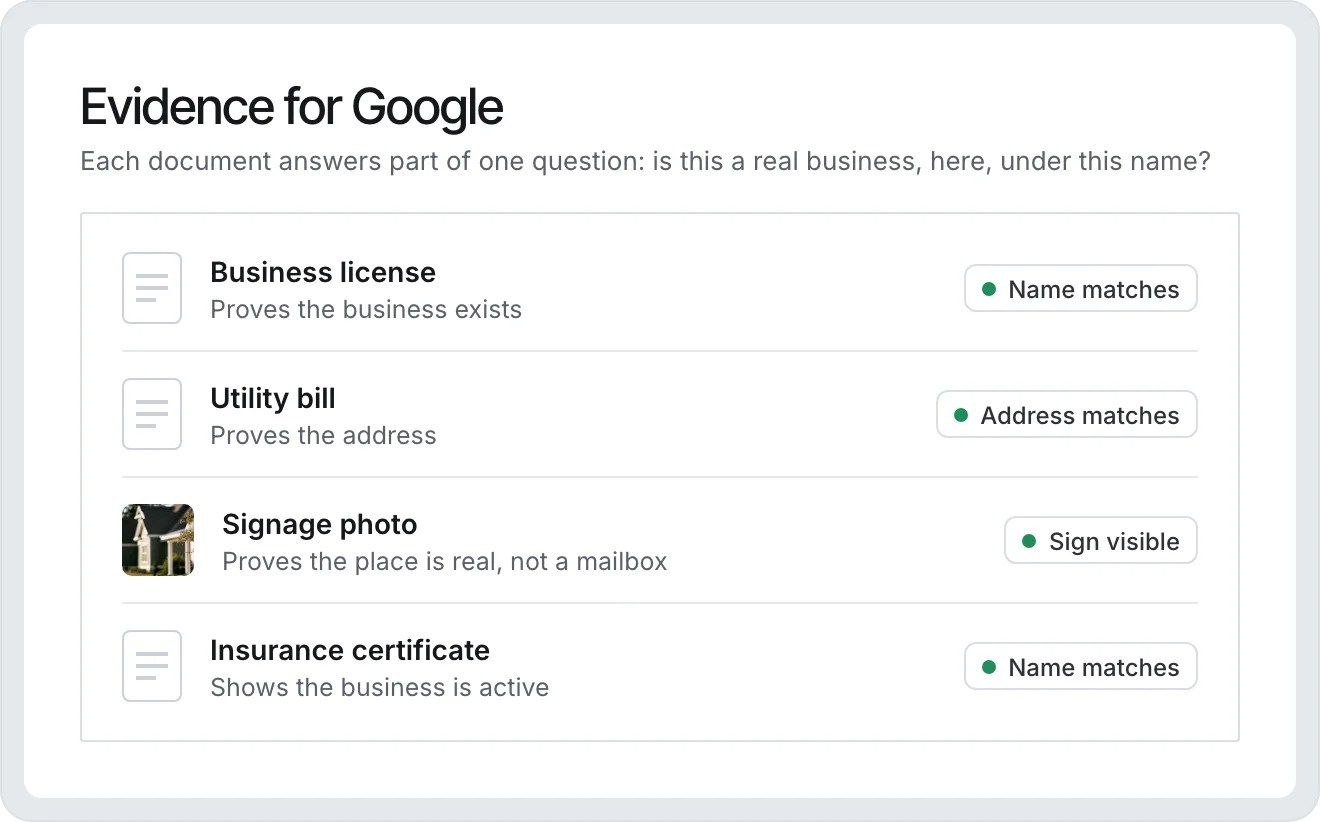
Google is trying to answer one question: is this a real business, operating from this location, under this name, run by the person appealing? Every document you attach should answer part of that. A business license or registration proves the entity. A utility bill or lease proves the address. A photo of permanent signage, or a lettered vehicle for a service-area business, proves the location is real and not a mailbox. Insurance and tax paperwork show the business is active.
- Business license, registration, or articles of incorporation
- Utility bill or lease in the business name at the profile address
- Photos of permanent signage, or a lettered work vehicle for a service-area business
- Insurance certificate, tax document, or a recent invoice with the business name and address
Read moreShow less
The details have to agree. If the profile says one suite number and the lease says another, fix the profile or explain the difference in the statement before you file. GMB Helper.ai compares the three sources for you and lists every disagreement, which is exactly the list Google’s reviewer would build.
Do not open a new profile
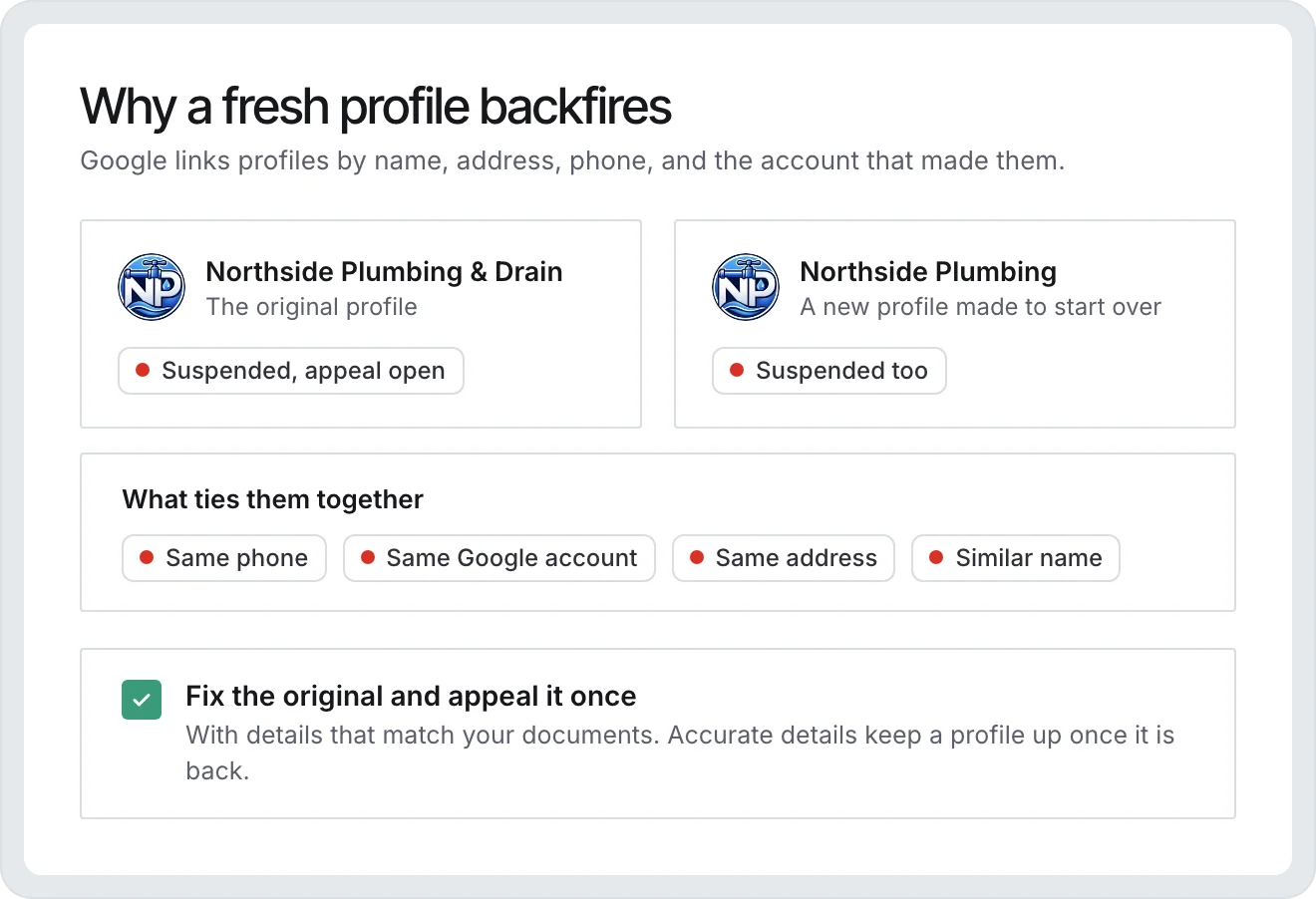
The tempting shortcut is to create a fresh listing and start over. Google links profiles by business name, address, phone, and the account that made them, so the new one is usually suspended too, and now the appeal for the original has a duplicate working against it. The right move is to fix the existing profile and appeal once, with everything lined up.
Read moreShow less
The same goes for changing the name or address to something that looks cleaner but is not true. Google verifies against public records and street-level imagery. A profile that finally gets reinstated on accurate details stays reinstated.
Built for agencies that carry this for clients
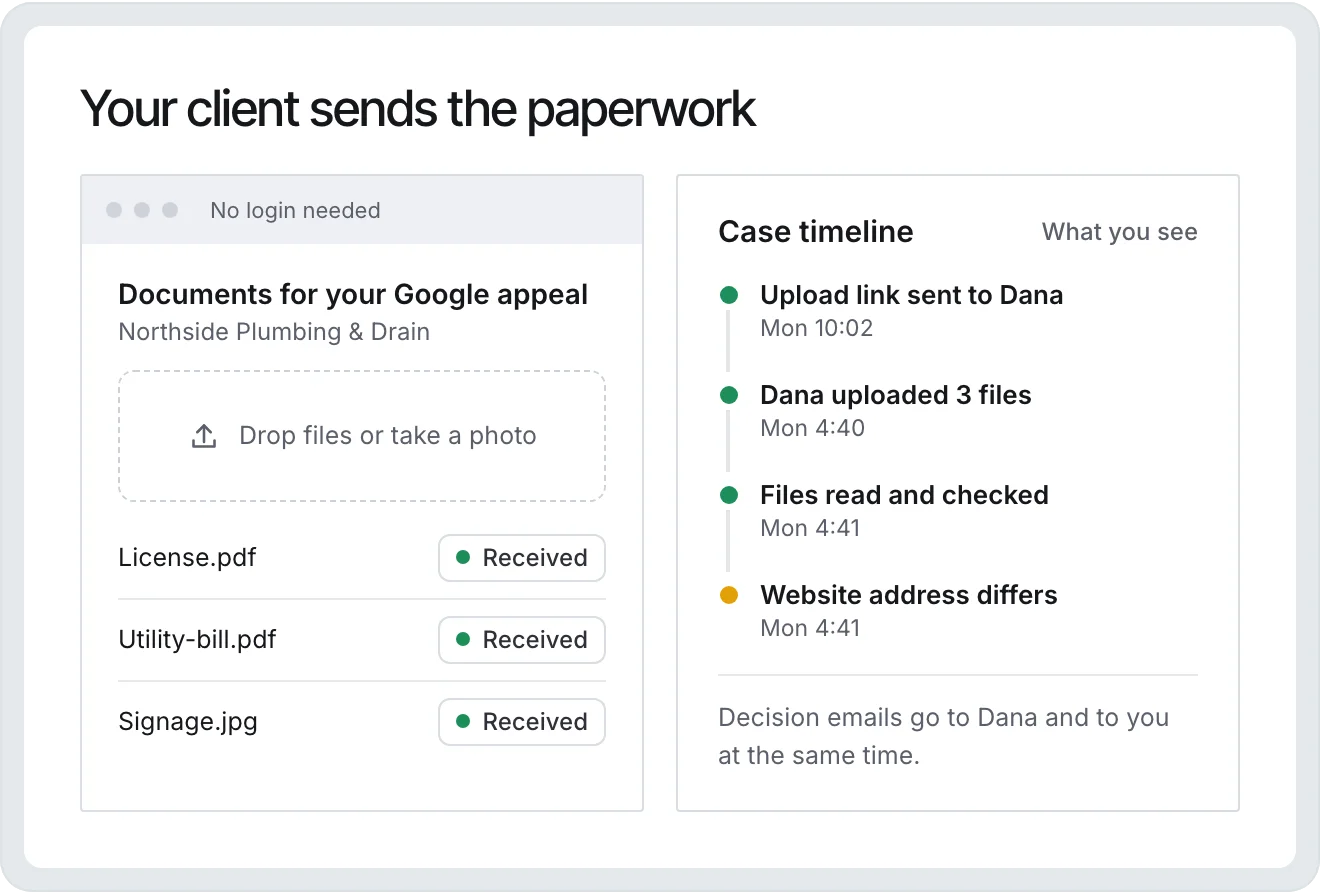
If you manage profiles for other businesses, the client rarely has the paperwork to hand and never has it organized. The case gives you a link to send them that opens a simple upload page with no login. What they upload lands in the case, gets read, and gets checked against their profile and website automatically.
Read moreShow less
Outcome emails go to the contact you name on the case and to the account owner, so the client hears the decision at the same time you do. Every case keeps its own timeline: what was uploaded, what was fixed, when the appeal went in, and what Google said. The case sits in the same account as the rest of the client’s Google Business Profile automation, so the replies, photos, and posts you already run stay in one place.
When the appeal is denied
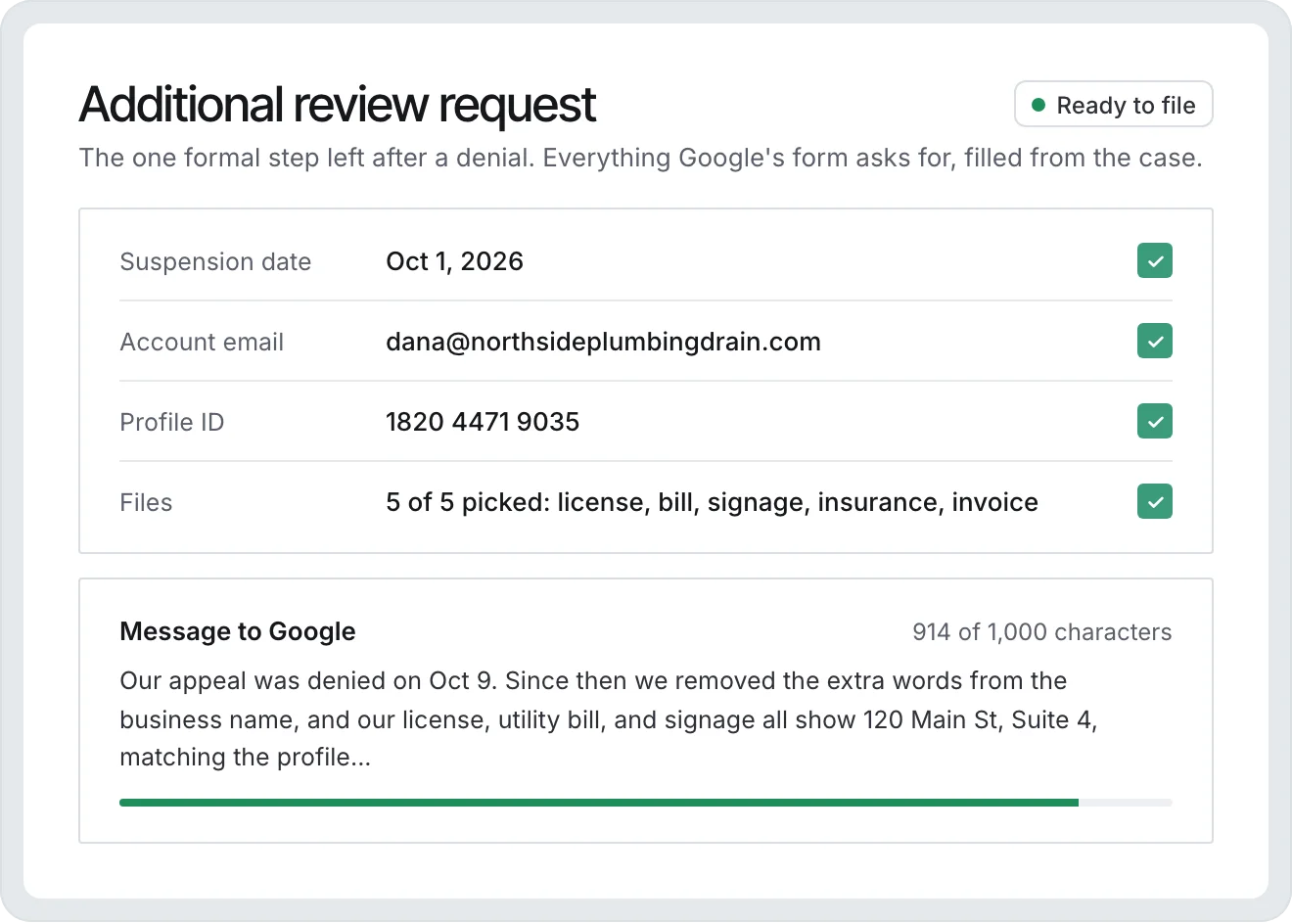
Google’s denial email usually gives no reason and sometimes promises a separate email about video verification that never arrives while the profile is suspended. The only formal next step is the additional review request on Google’s contact form, which asks for the suspension date, the account email, the Profile ID, up to five files, and a message capped at 1,000 characters.
Read moreShow less
GMB Helper.ai already has all of those facts from the case. It picks the strongest five files, drafts a follow-up that fits the limit, and the autopilot fills the form in your browser. If that request is denied as well, the case closes that path honestly and points you at what is left: the Business Profile community forum, where product experts can escalate a case number.
What we will not promise
- Google makes the decision. No tool can guarantee reinstatement, and anyone who does is selling you a form fill.
- Google has no API for appeals. Filing happens in your own browser through the GBP Autopilot extension, or by hand with the copy-and-download kit the case gives you.
- We read the profile’s live standing from Google to learn the outcome. Google does not expose appeal status, so a denial is recorded by the extension reading Google’s decision table or by you pressing the button.
- A suspended profile cannot be video-verified until the suspension is lifted, whatever the denial email implies.
Questions
Is there software that gets a suspended Google Business Profile reinstated?
Yes. GMB Helper.ai runs the whole reinstatement as a case: it checks the profile against your website and documents, lists what to fix, writes the appeal, files it on Google’s appeal form from your browser, and watches the profile until Google decides. Most other options are a done-for-you service or a written guide. No software can make Google say yes, and Google makes the final call. Plans start at $99 a month with a 7-day free trial.
How long does Google take to answer a reinstatement appeal?
Usually days to a few weeks, and longer during suspension waves. Google sends no progress updates. GMB Helper.ai checks the profile’s standing every 30 minutes and emails you on day 3, 7, 14, and 30 of silence so you know the case is still being watched.
Should I just create a new Google Business Profile instead?
No. Google links profiles by name, address, phone, and account, so a new listing is usually suspended too and it weakens the appeal for the original. Fix the existing profile and appeal it once with the evidence lined up.
What documents does Google accept as evidence?
A business license or registration, a utility bill or lease at the profile address, photos of permanent signage or a lettered vehicle, and an insurance or tax document. The details on every document must match the profile. The case checks that for you before you file.
Do I have to install the Chrome extension?
Only if you want the appeal filed for you. The extension fills Google’s form in your browser and can pause before the submit click. Without it, the case gives you the statement to copy and the evidence to download so you can file by hand.
My appeal was already denied. Can you still help?
Yes. Start the case as already denied and it opens on the additional review step: pick the evidence, get a follow-up letter under 1,000 characters, and file Google’s contact form. Google allows one additional review, and the case tells you honestly when that path is used up.
Does this work for a service-area business with no storefront?
Yes. The intake asks how the business operates, the checks expect a hidden address for a service-area business, and the evidence list shifts to a lettered vehicle, tools, and paperwork at the base address instead of storefront signage.
Get the listing back on the map.
Open a reinstatement case in the 7-day free trial. Connect the Google account, pick the suspended profile, and the case starts with the checks.
Free for 7 days. No credit card needed.