
Schedule Google Business Profile posts for every location you manage
Google’s own scheduler handles one profile well. GMB Helper.ai is the GMB post scheduler for the next step: dozens of profiles, each posting its own photos with a caption written for that business, on the days you choose, with drafts when a client wants to approve and a check that tells you when Google rejects a post.
Free for 7 days. No credit card needed.
Weeks of posts, planned ahead
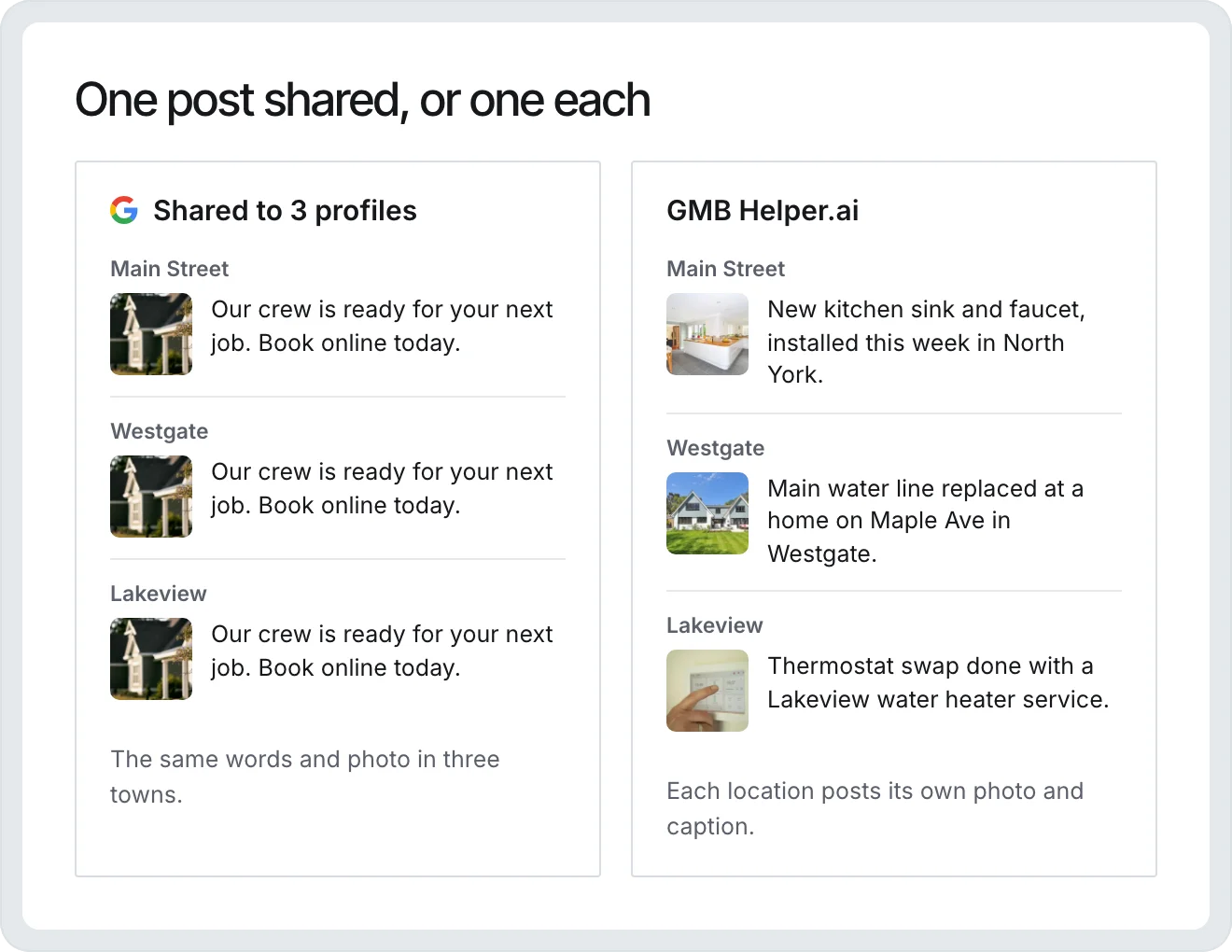
Each location posts its own photo and caption on the days you pick.
What Google’s own scheduler does, and where it stops
Google now lets you schedule a post from the profile itself. When you create an update, offer, or event, you turn on Schedule this post and pick a date and time, and the Repeats menu can bring it back weekly, monthly, or on a custom schedule. You can also share one post to several profiles you manage. For a single business that posts now and then, that is enough, and it is free. It stops short in four places.
- A shared post is the same text and the same photo on every profile, so twenty locations say the same thing to twenty different towns.
- There is no approval step. Whatever you schedule goes out.
- Nothing reminds you to check for posts Google marked Not approved. They just never show on Search or Maps.
- Profiles in different Google accounts mean signing in and out to post for each one.
How posting works in GMB Helper.ai
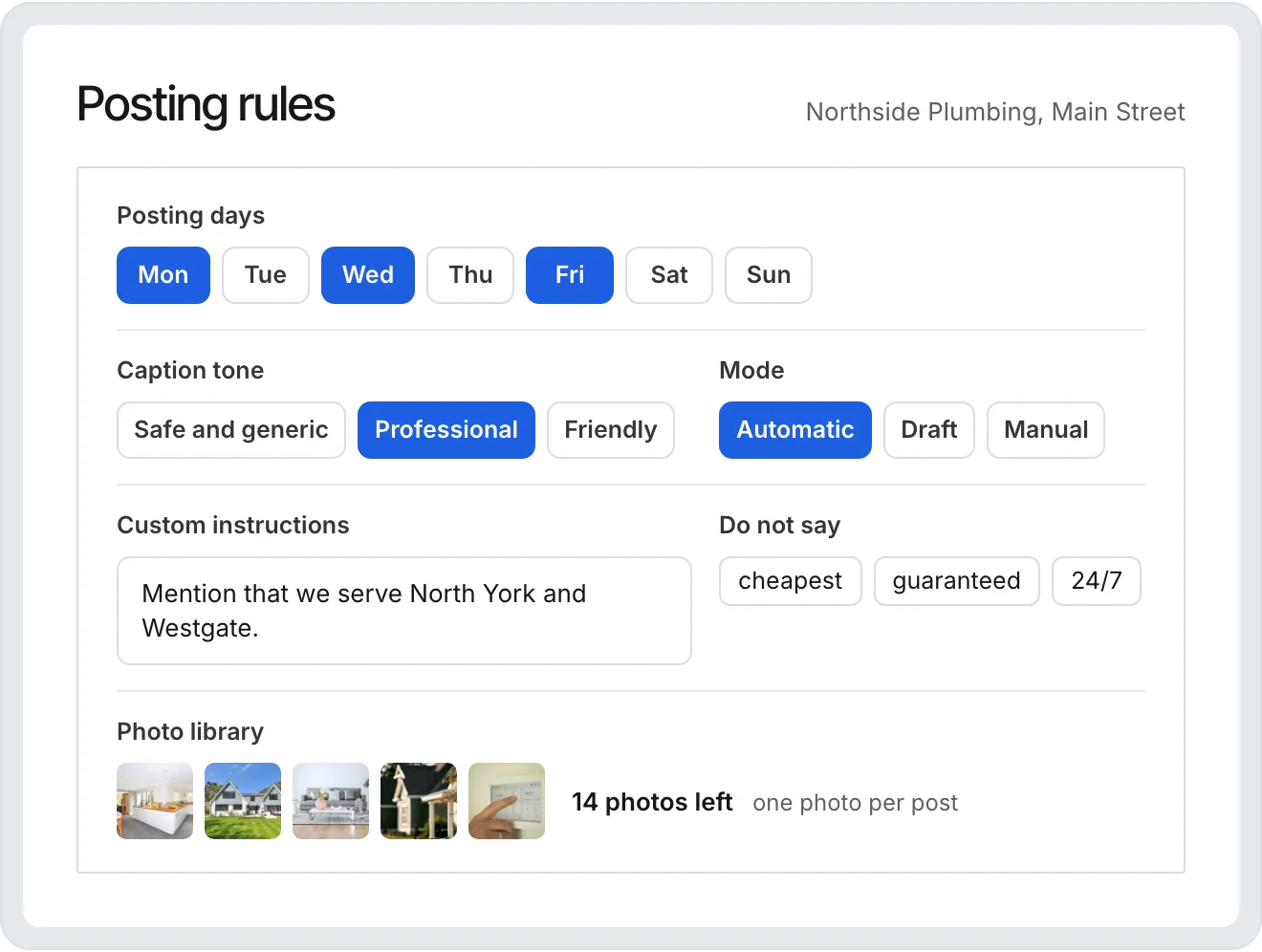
Each location gets its own photo library and its own posting days. On a posting day, GMB Helper.ai takes the next unused photo for that location, writes a caption for that photo and that business, and publishes it as an update at the location’s local time. One photo makes one post, so nothing repeats until the library runs out, and the Updates list shows which businesses are about to.
- Pick the posting days per profile, or set them once for all locations and change the few that differ.
- Choose a caption tone (Safe and generic, Professional, or Friendly), add custom instructions, and keep a Do not say list per business.
- Automatic publishes on schedule. Draft writes the post and waits for a person. Manual turns scheduled posts off for that profile.
- The Updates list shows, per business, what posted in the last 30 days, what is coming in the next 7, how many photos are left, and anything that failed.
Updates, offers, and events by hand
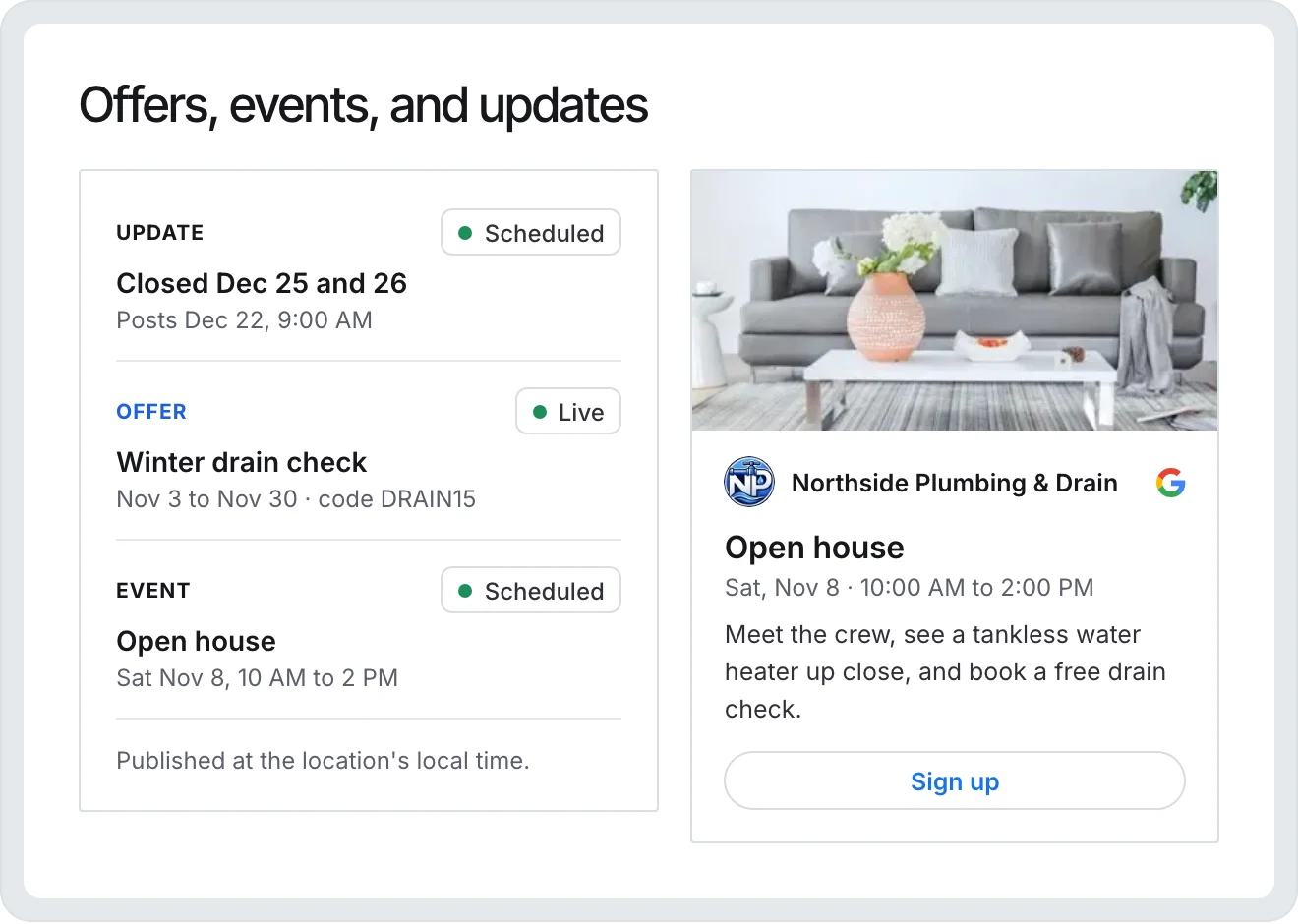
For anything that is not routine, such as a holiday closure, a seasonal offer, or an open house, you write the post yourself and publish it now or schedule it for a date and hour in that location’s time zone. Updates carry a photo. Events take a title, dates, and a button: Book, Order, Shop, Learn more, Sign up, or Call. Offers take a title and dates, with an optional coupon code, link, and terms. If a live post needs a correction, edit the caption in GMB Helper.ai and it changes on Google too.
Why scheduled posts get rejected, and how you find out
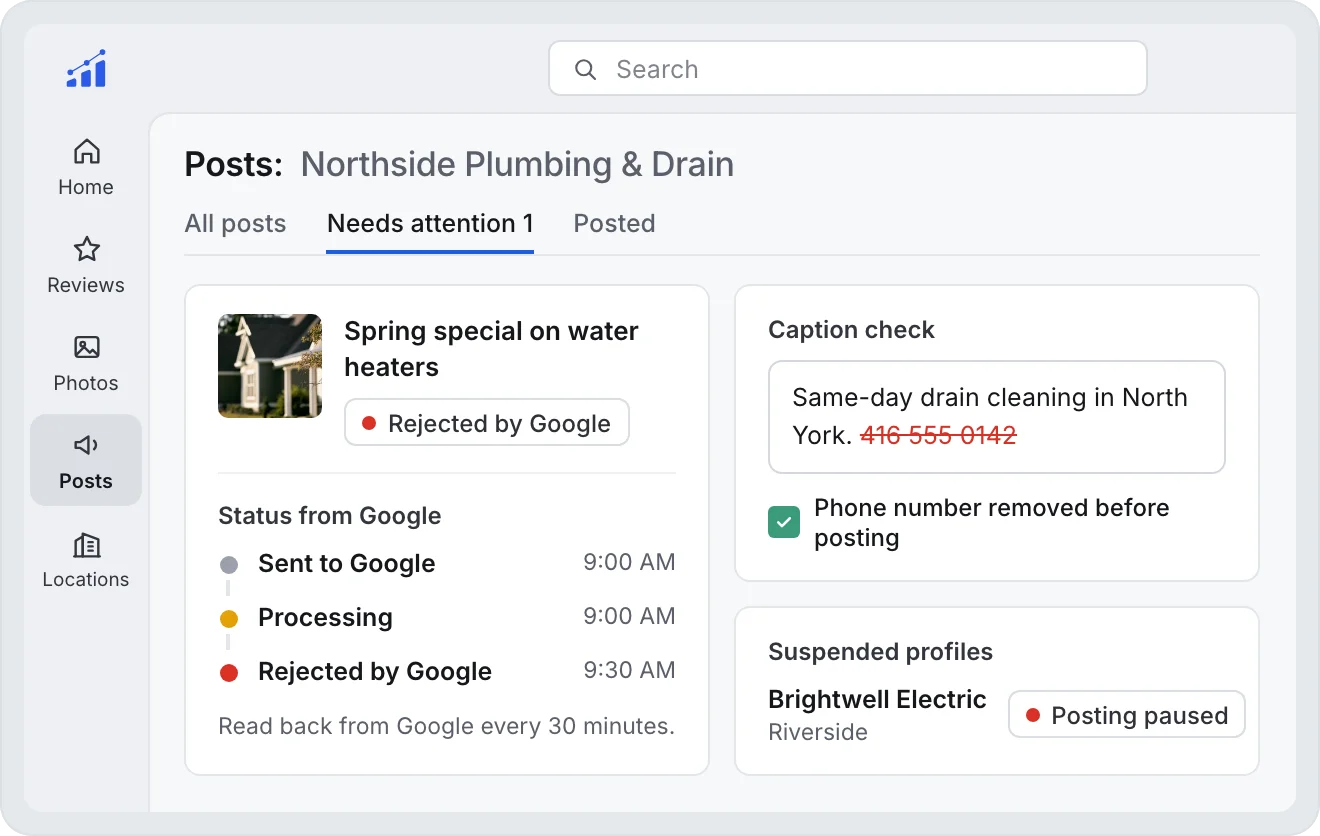
Google takes every new post in as processing and decides later. A post it rejects shows as Not approved in Google’s own tools and never appears on Search or Maps, while most schedulers keep calling it published. Google’s posts policy says it may remove posts with contact details it cannot verify, such as phone numbers, email addresses, and social handles, and the phone number is the most common reason we see a post rejected.
- Phone numbers stay out of captions. The AI never sees the number, every caption is checked, and a number typed into a post by hand is removed before it goes to Google. Google suggests a Call button instead, which uses the number on the profile.
- Every post’s real status is read back from Google every 30 minutes. A rejected post moves to Needs attention, marked Rejected by Google.
- Posting pauses on its own while a profile is suspended, so nothing is published into a profile Google has taken down.
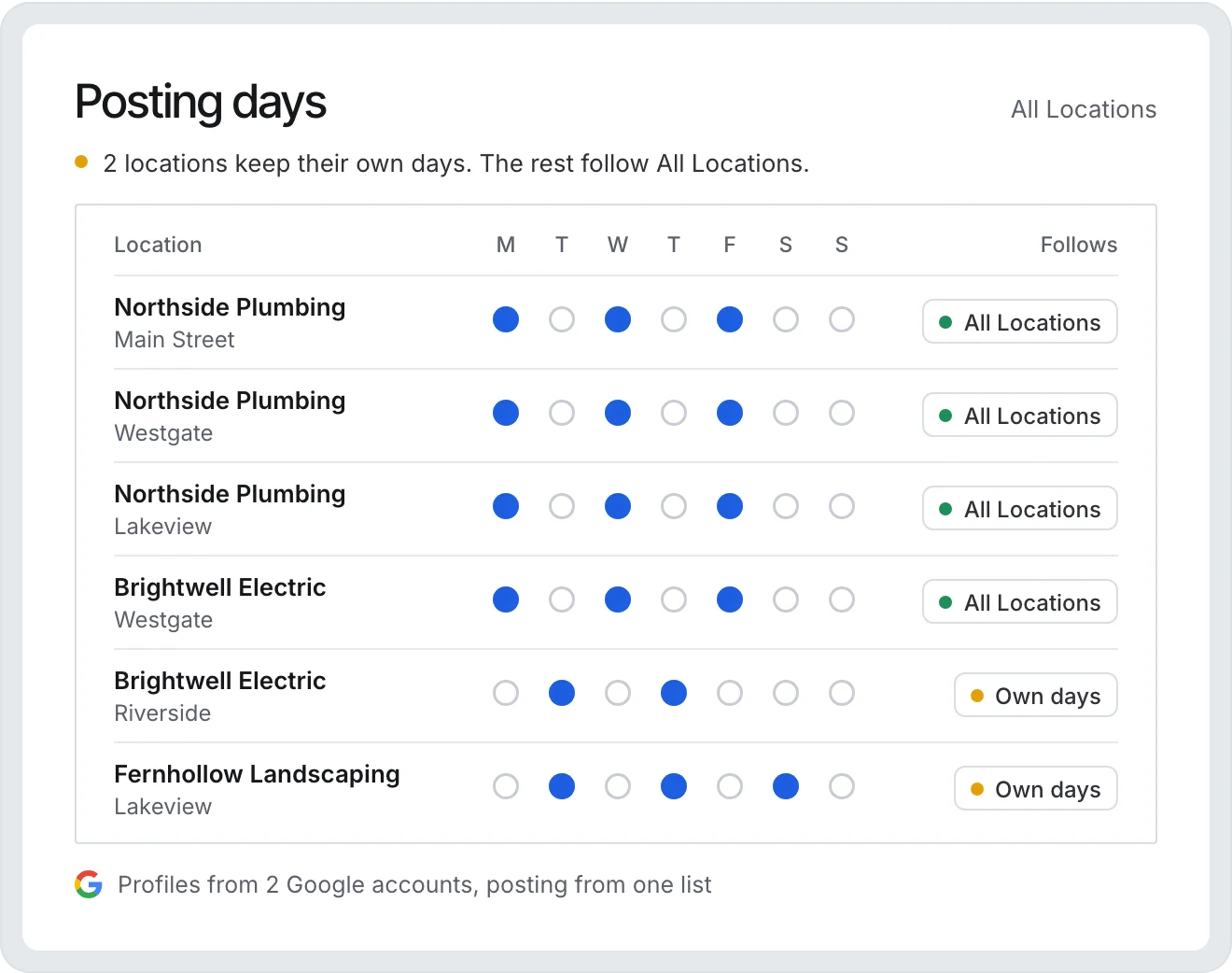
One schedule for a hundred locations, or one for each
Agencies set posting rules once under All Locations, and every profile follows them unless it has its own. When locations disagree, the settings screen says so instead of showing one value as if it applied to all of them. You can connect more than one Google account, so clients whose profiles sit in different accounts still post from one list.
What posting will not do
Google does not say that posting moves a profile up in local results. Its ranking help names relevance, distance, and prominence. What posts do is show the customers who find the profile that the business is open and active, with current photos and offers. Posts older than six months are archived unless they carry a date range. We schedule the work and check that it landed. We do not promise rankings, and nobody else can either.
Questions
Can you schedule Google Business Profile posts for free?
Yes. Google’s own post editor has a Schedule this post switch and a Repeats menu for weekly, monthly, or custom schedules. A tool like GMB Helper.ai is for when you post to many profiles, want a different photo and caption on each, need drafts approved, or want to know when Google rejects a post.
Can GMB Helper.ai post one update to all my locations at once?
Each location posts its own photo and its own caption, which is the point of the scheduler. For a one-off announcement that should read the same everywhere, Google’s own post editor lets you share one post to several profiles you manage.
Which post types can I schedule?
Updates with a photo, events with a button such as Book or Call, and offers with dates and terms, published now or at a date and hour in the location’s time zone. Scheduled automatic posts are updates built from each location’s photo library.
Do I have to approve every post?
Only if you want to. Each profile is set to Automatic, Draft, or Manual. Draft writes the post and waits for someone to publish it, which suits clients who want to see everything first.
Why did Google reject my post?
The most common reason we see is a phone number in the post text. Google’s posts policy says it may remove posts with contact details it cannot verify. GMB Helper.ai keeps numbers out of captions, reads every post’s status back from Google, and flags any post Google rejects.
Does posting on Google Business Profile improve rankings?
Google does not say it does. Its ranking help names relevance, distance, and prominence. Posts keep the profile current for the customers who find it. No tool can promise a ranking change, and this one does not.
Put every Google profile on autopilot
Free for 7 days. No credit card needed.